Skip to content
Provashot

Document every job. Prove every result.

Your job-site photos, filed before, during and after, become a dated PDF report for your client or insurer.

Download on the App Store (coming soon) Download on the App Store (coming soon) Get it on Google Play (coming soon)

Coming soon to iPhone and Android.

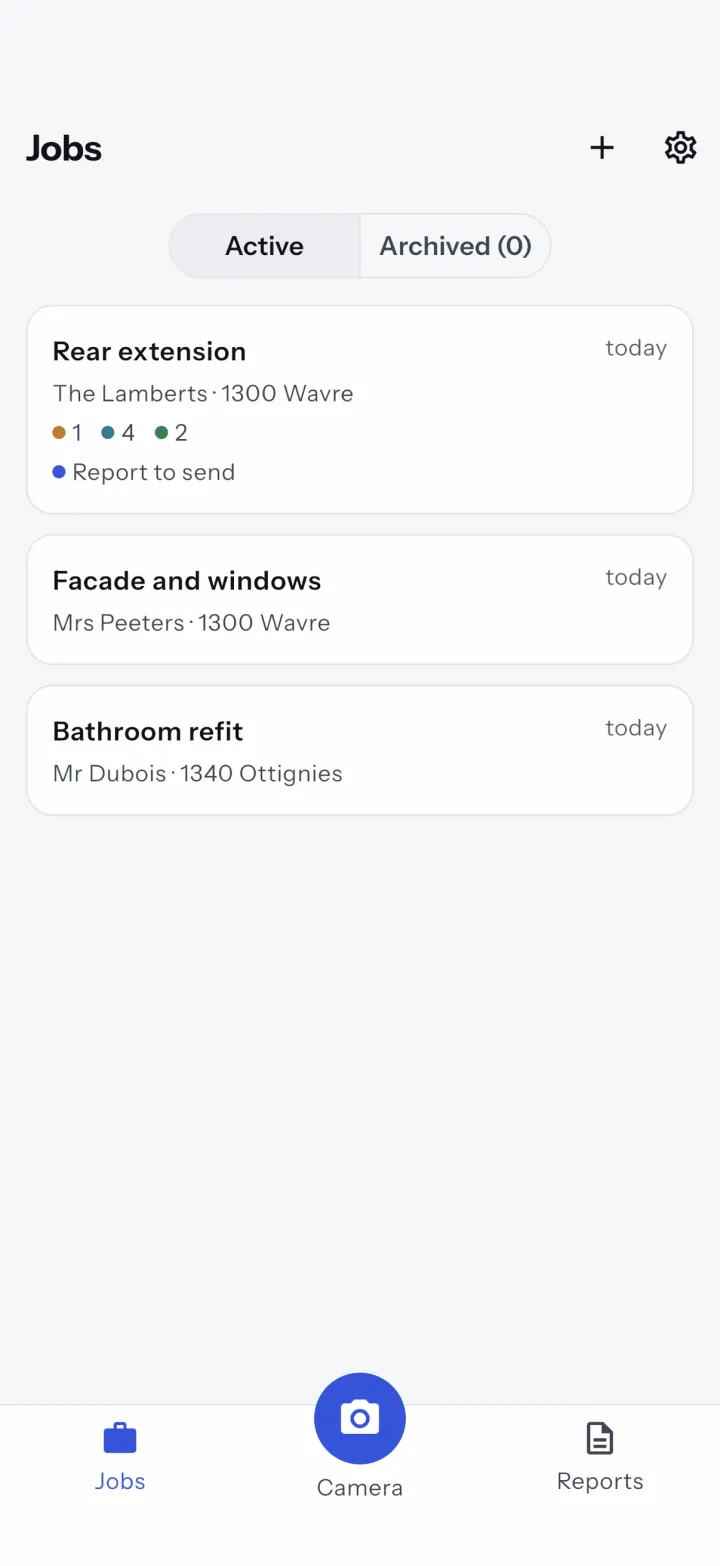
The job list in Provashot: Rear extension for the Lamberts in Wavre, with 1 before, 4 during and 2 after photos and a report to send, then two other jobs

Two sides of the same job

You do the work

Take every job photo in the app: the date, time and position are burned into the image. The job becomes a PDF report you send from your phone.

  • Photos filed by job and phase, even offline.
  • A dated PDF report, ready to share in one tap.
  • Free to start: 3 PDF reports per month.
Get the app

You hire contractors

Property managers, general contractors, small businesses, landlords, claims handlers: ask your contractors and subcontractors to document every job with Provashot. You receive a dated PDF report, with no account and no app.

  • Dated, located photos, filed before, during and after.
  • A clear file for the insurer or the job sign-off.
  • Check subcontracted work without visiting each job site.
See the details

From photo to report

One job, three phases, one report. Nothing to set up, usable standing up, one-handed, with gloves on.

  1. Shoot

    Pick the phase and press the shutter. The date, time and position are saved with the photo.

  2. It files itself

    Every photo goes into its job, under before, during or after. Offline too.

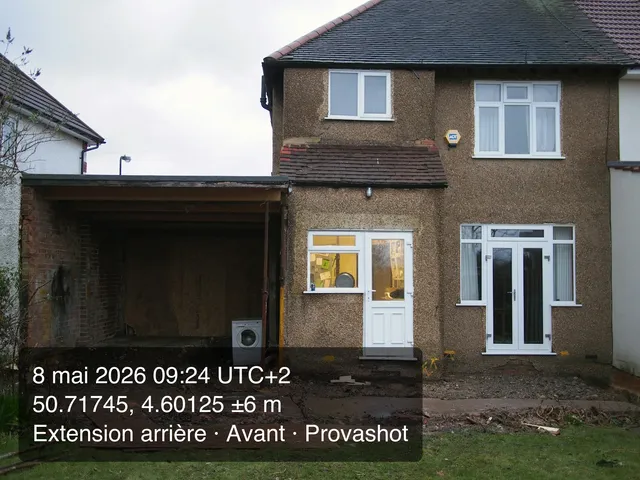
Back of the house before the works, with the Provashot stamp of 8 May 2026Before
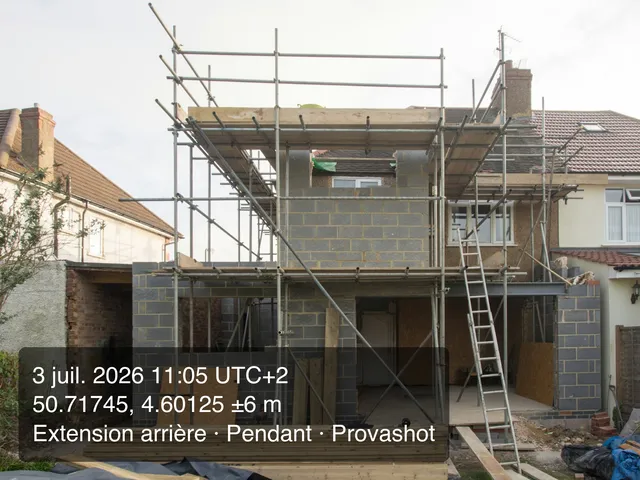
The job during the works, block walls and scaffolding, with the Provashot stamp of 3 July 2026During
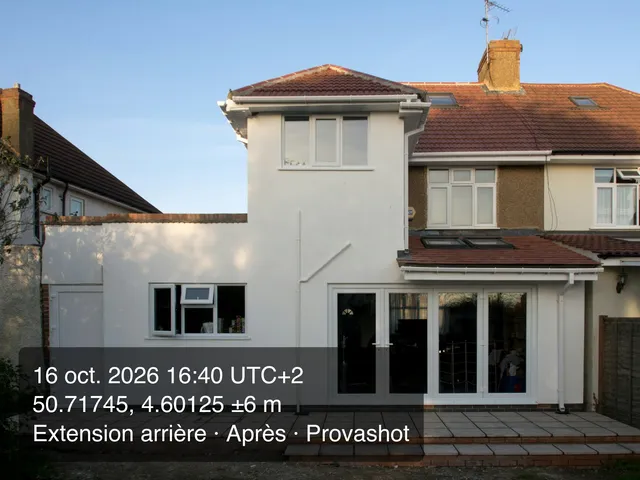
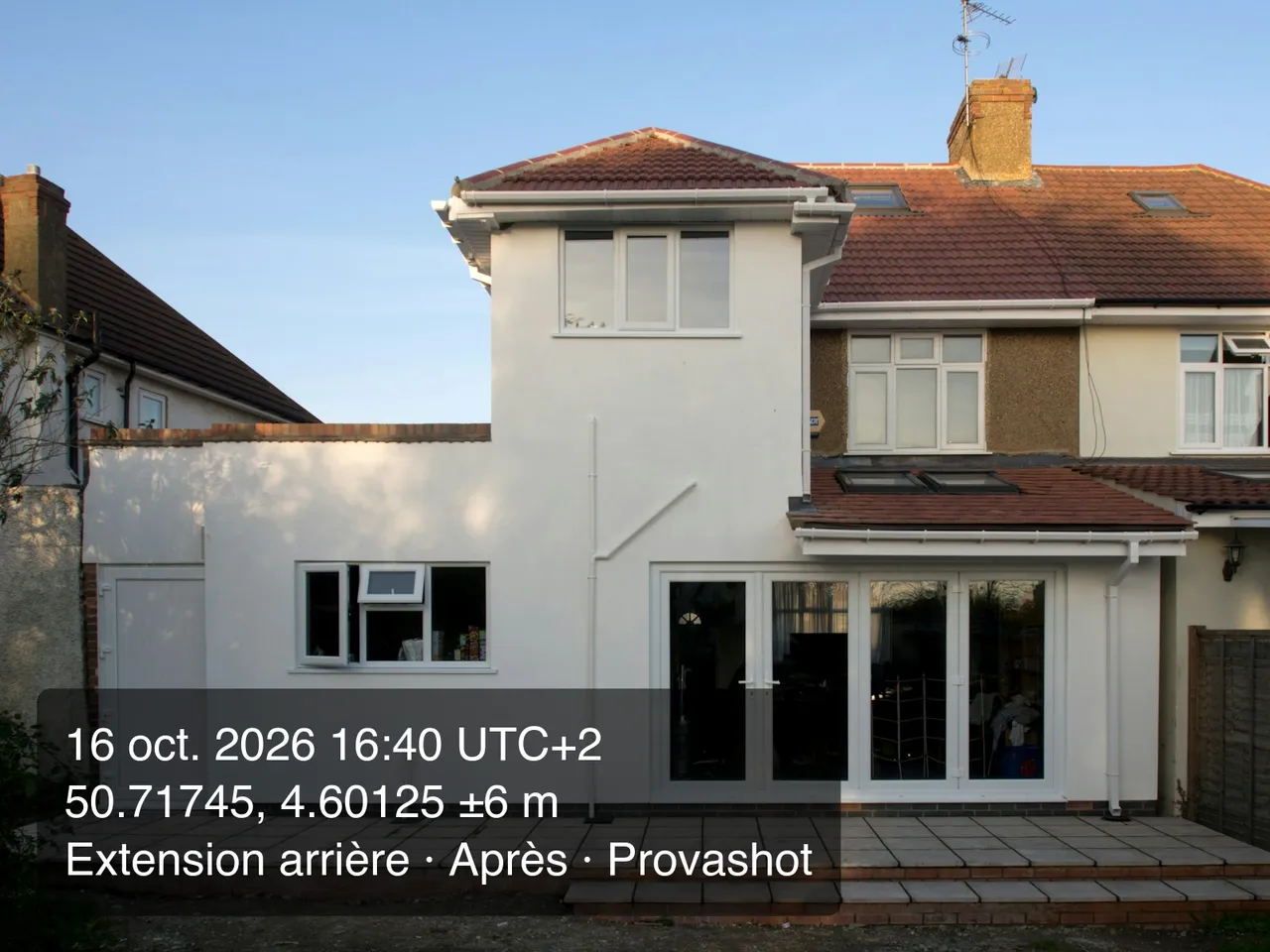
The same house after the extension was built, with the Provashot stamp of 16 October 2026After
  1. Never miss the “after”

    In the evening, the app reminds you of the missing “After” photo; every week, of reports never sent.

  2. Send the report

    The job becomes a dated PDF, shared by email, WhatsApp or text message from your phone.

The report your client receives

A dated PDF in your name that opens on any phone or computer and prints cleanly.

  • Your logo and contact details at the top (Pro).
  • The job, the client, the address and the period covered.
  • Every photo with its phase and its stamp.
  • Before/after pairs side by side (Pro).
  • Four documents: Standard, For the client, Insurance file, Job sign-off.
Report guide (French)

Dated evidence, not a memory

Every photo carries a stamp burned into the image. Facing a client who disputes the work or an insurer, you show what was done, where and when.

  • The date and time to the minute, with the time zone.
  • The GPS position and its accuracy, or the job address when GPS does not respond.
  • The original metadata kept, and a SHA-256 fingerprint for each photo.
  • Imported photos flagged as such.
Photo guide (French)
Finished house extension, with the Provashot stamp burned in at the bottom left: 16 October 2026 at 16:40 UTC+2, GPS position to ±6 m, the job name and the After phase
Full stamp (Pro), as an example. The compact stamp, included in the free plan, keeps the date, time and position.
  1. Date, time and time zone of the shot, to the minute.
  2. GPS position and accuracy, or the job address when GPS does not respond.
  3. Job and phase (full stamp, Pro), then the Provashot mark.

Your data stays yours

No account
No sign-up, no password, no server storing your jobs.
Offline
Basement, crawl space, dead zone: everything works without a signal.
Export and delete
Export all your data as a ZIP, or delete it for good from the app.

Free to start

Jobs and photos are unlimited on both plans.

Free

€0forever

  • Stamped photos, unlimited jobs and phases
  • 3 PDF reports per month, Standard document
  • “Created with Provashot” footer line
  • Export of all original photos
Download

Provashot Pro 7-day trial on yearly

€99.99per year, or €12.99 per month

  • Unlimited reports, no footer line
  • Your logo and contact details on every report
  • Before/after side by side
  • For the client, Insurance file and Job sign-off documents
  • Full stamp: job and phase
Download

Pro costs $11.99 per month or $89.99 per year in the US. Subscription managed by the App Store or Google Play, cancel anytime in your store settings. The 7-day free trial applies to the yearly plan; a reminder is sent the day before it ends.

Frequently asked questions

Another question? Write to us at [email protected]. We reply in English and French.

Does the app work without a connection?

Yes, fully: taking photos, stamping, filing and PDF reports all work offline, even in a basement or a dead zone. Only buying and restoring the Pro subscription need a connection.

Where are my photos stored?

On your phone, and nowhere else: Provashot has no account and no server storing your jobs. That also means there is no online backup, so keep your phone backed up and export your jobs as a ZIP (original photos included) whenever you want to archive them.

What does the photo stamp contain?

The date and time with the time zone, then the GPS position with its accuracy, or the job address when GPS does not respond. The full stamp adds the job name and the phase. It is burned into the image; the original EXIF metadata is kept and a SHA-256 fingerprint of each photo is recorded.

Is a Provashot report legal proof?

Provashot helps you gather dated, located and well-organised evidence, which carries weight in a discussion with a client or an insurer. How much it counts in a dispute is decided case by case: we do not promise any particular legal value.

Can I add photos taken with the phone's camera app?

Yes, with the Import button. Those photos are marked as imported, and the Insurance file document flags this next to each one.

How much does Provashot cost?

The free plan gives unlimited jobs and photos and 3 PDF reports per month. Provashot Pro costs €12.99 per month or €99.99 per year ($11.99 or $89.99 in the US), with a 7-day free trial on the yearly plan. You manage and cancel the subscription in your App Store or Google Play settings.

What happens if I stop Pro?

You go back to the free plan without losing anything: your jobs, photos and reports already created stay on your phone.

Can I put my logo on reports?

Yes, with Provashot Pro: your logo and contact details appear at the top of every report, and the “For the client”, “Insurance file” and “Job sign-off” documents are included.

Which phones does Provashot run on?

iPhone (iOS 15 or later) and Android. The app is available in English and French.

Who can see my jobs?

Nobody but you. You choose who receives a report. Usage statistics, with no personal data, are only enabled if you accept them, and crash reports contain no photo and no job data. Everything is detailed in the privacy policy.
Your next job deserves a clean report

Free to start, no account, works offline. Three free PDF reports every month.

Download on the App Store (coming soon) Get it on Google Play (coming soon)

Coming soon to iPhone and Android.

Back of the house before the works, with the Provashot stamp of 8 May 2026 The same house after the extension was built, with the Provashot stamp of 16 October 2026